HomeKit Automations for Wind Down
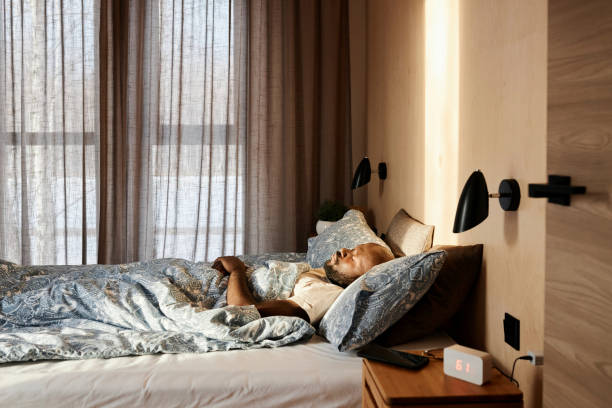
HomeKit is the brain behind many of today’s smart lights, thermostats, plugs, and sensors. When you link these devices together, they can follow a script you write once and then run every night. The key to using HomeKit for sleep is starting about an hour before you actually want to close your eyes. This wind down period is your brain’s transition from active mode to relaxed mode. Create an automation triggered by a specific time or a simple voice command like “Hey Siri, it’s wind down time.” That single phrase can dim the lights, lower the thermostat by a few degrees, and turn off any unnecessary devices in the room. The gradual decrease in light and temperature signals your body that sleep is coming, helping your natural melatonin production kick in.
But monitoring sleep is more than just setting the mood. To truly understand how well you’re resting, you need data. HomeKit can help you track the environment around you, which directly affects sleep quality. Pair a smart thermostat with a humidity sensor, for example. Many people don’t realize that a room that is too warm or too humid can cause fragmented sleep. By automating your thermostat to keep the bedroom between sixty-five and sixty-eight degrees, and setting a humidity target of around forty to fifty percent, you create an ideal sleep climate. When you wake up, you can check the Home app to see the temperature and humidity levels throughout the night. If you notice that the temperature spiked at 3 AM, that might explain your restless middle-of-the-night waking. This is how HomeKit helps you monitor sleep not by tracking your pulse, but by tracking the conditions that let your pulse stay steady.
Smart lights are another powerful tool for sleep monitoring. Many HomeKit-compatible bulbs have color temperature settings that shift from bright blue light to warm amber as the evening progresses. Blue light suppresses melatonin, so an automation that gradually warms your lights in the hour before bed is a simple but effective intervention. Even more useful is setting a gentle sunrise alarm in the morning. A light that gradually brightens over thirty minutes can help you wake up naturally, which improves your sleep cycle over time. You can then log your wake time and compare it to your energy level during the day. Over a few weeks, patterns will emerge. Perhaps you sleep better after a cooler night, or you feel more rested when the morning light starts at a specific time. This is sleep monitoring that feels effortless because the tech does the work.
If you want to go a step further, consider a smart bed sensor like the Withings Sleep Mat. It slides under your mattress and connects to HomeKit via a bridge. While you sleep, it measures your heart rate, breathing rate, and movement cycles. In the morning, it sends a summary to your iPhone. You can then use HomeKit’s scenes to automatically adjust your morning routine based on how you slept. For example, if you had a restless night, you might want a more gradual light alarm and a gentler coffee machine start. If you slept deeply, you might want brighter lights to get you going. This integration turns passive data into active lifestyle tweaks.
The beauty of HomeKit automations for wind down is that they remove the guesswork. Instead of remembering to dim the lights and turn down the thermostat, you set it once and forget it. Then you can focus on the other habits that support great sleep, like avoiding caffeine after 2 PM, keeping a consistent bedtime, and writing down any worries before you crawl under the covers. Over time, the data your HomeKit system collects becomes a personal sleep diary. You’ll start to see that cool, dark, quiet nights lead to better mornings. And that insight is the first step toward truly optimizing your sleep.
For anyone who has struggled with counting sheep or staring at the ceiling, know that technology doesn’t have to be distracting. When used with intention, HomeKit can become your quiet nighttime assistant, monitoring the environment so you can focus on letting go. Start with one simple automation tonight, and see how it changes the way you wind down. Your brain will thank you in the morning.
Dream Blog
Real sleep talk for real people.

Iron Deficiency and Dopamine Dysfunction
The Surprising Benefit of a Warm Bath Before Bed for Better Sleep